
Edit Group
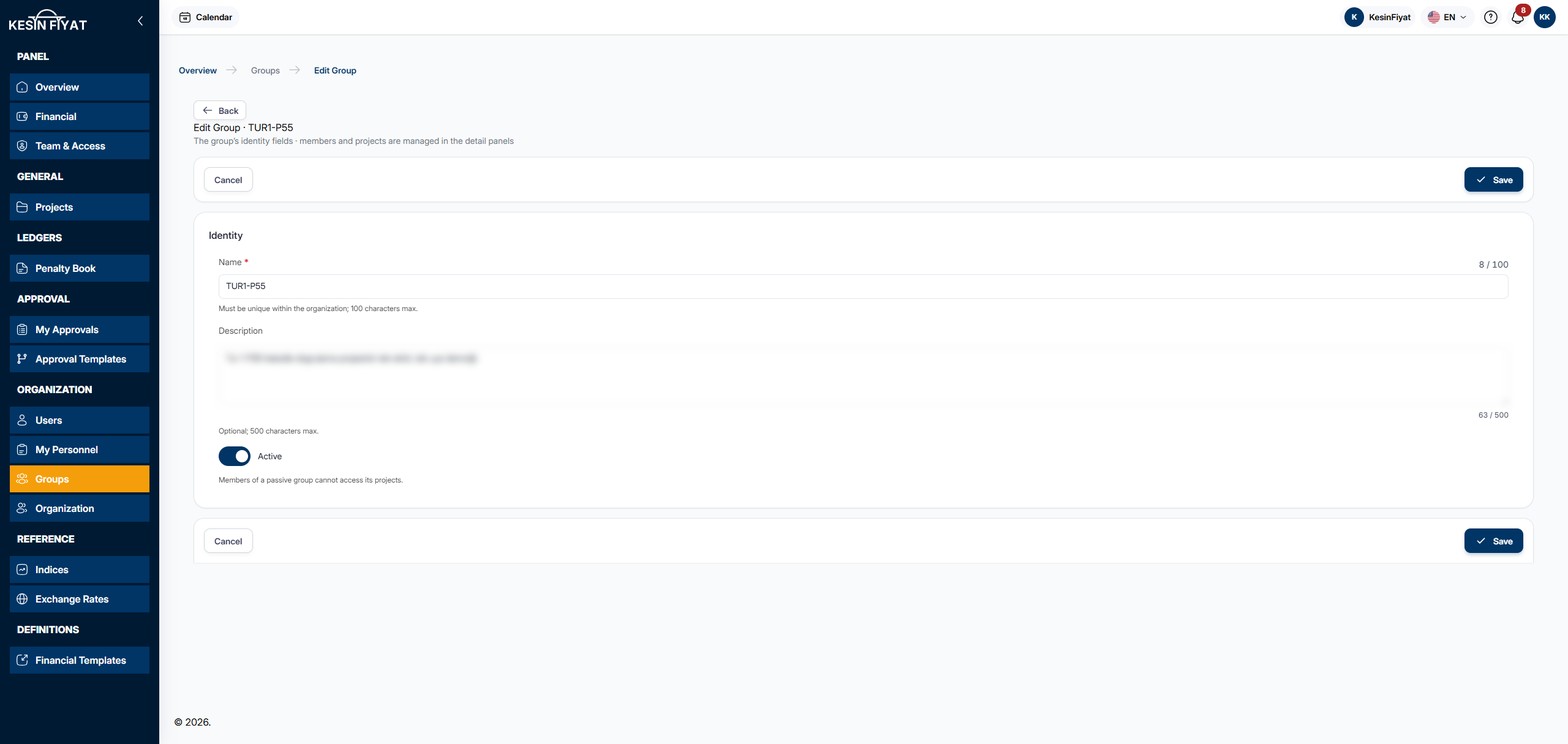
On this page you change the group's name, description and whether it is active. Members and projects are not managed here; they are on the cards of the group's page.
When to use it
- To change the group's name or description.
- To deactivate the group or make it active again.
Step by step
1. Open the page
On the group's page, click Edit. The pencil button on the row in the Groups list also opens this page.
2. Change the name and description
On the Identity card:
- Name is required. It cannot be the same as another group's name in your company, and it can be up to 100 characters.
- Description is optional and can be up to 500 characters.
3. Set whether the group is active
If the Active switch is on, the group is Active; if it is off, the group is Passive. Members of a passive group cannot reach its projects.
If you turn the switch off and click Save, the Deactivate Group confirmation window opens first. No confirmation is asked when you turn it on.
On the base group (Genel) the switch cannot be changed; the base group cannot be deactivated.
4. Save
The Save button saves the changes and returns to the group's page. The message Details updated appears. The Cancel and Back buttons return to the previous page without saving.
If deactivating the group would leave a project without any group, the No group would be left with access to the project window opens. Transfer to base group and apply transfers the project to the base group (Genel) and completes the save.
Things to keep in mind
- Only people who can manage the group can use this page: the company owner and administrators on every group, project managers and tender officers only on the groups they created. Others see a warning on the page saying they do not have permission.
- If another group has the same name, the change is not saved.
Frequently asked questions
Where do I go to add members or projects?
To the group's page. Members are added and removed on the Members card, projects on the Projects card.
Can I deactivate the Genel group?
No. Genel is your company's base group; new users and new projects are attached to it. You can still change its name and description.